How to Migrate Your OpenClaw to Another Server (Beginner Guide)
Summary
This video walks you through the easiest way to migrate your OpenClaw agent from one VPS to another — and the key insight is that you can get your OpenClaw agent to do most of the heavy lifting for you. The presenter shares his personal experience moving away from Amazon EC2 (which can surprise you with bills up to $100/month despite a free tier) to a much cheaper $2/month option on Zeber using a 2GB memory plan — which turns out to be more than enough for a personal assistant setup. Here's how the migration works: You prompt your OpenClaw agent directly, asking it to compress its entire working directory into a zip file and generate a markdown migration guide. This takes about two minutes. Once you have the zip file, you provide your new server's credentials (IP address, username, and SSH password) — though the presenter recommends storing sensitive keys in a .env file rather than pasting them directly into chat. The agent then uploads the zip file to the new server in about a minute. On the new server, you use Termius (recommended for beginners due to its user-friendly file directory view) to locate and extract the migration package. From there, you reinstall OpenClaw if needed — this does not wipe your data, it just re-adds the software — then start the gateway and verify your config files, either manually or by asking OpenClaw to do it. A useful pro tip: before and after migrating, run a terminal command that displays your full file directory in tree format. Take a screenshot before the migration, then compare it to the new server's output afterward to manually confirm nothing was lost. One important caveat: this approach works best for simple OpenClaw setups. If you have complex cron jobs or multiple sub-agents, some steps will need to be handled manually to ensure a complete and accurate migration.
Transcript
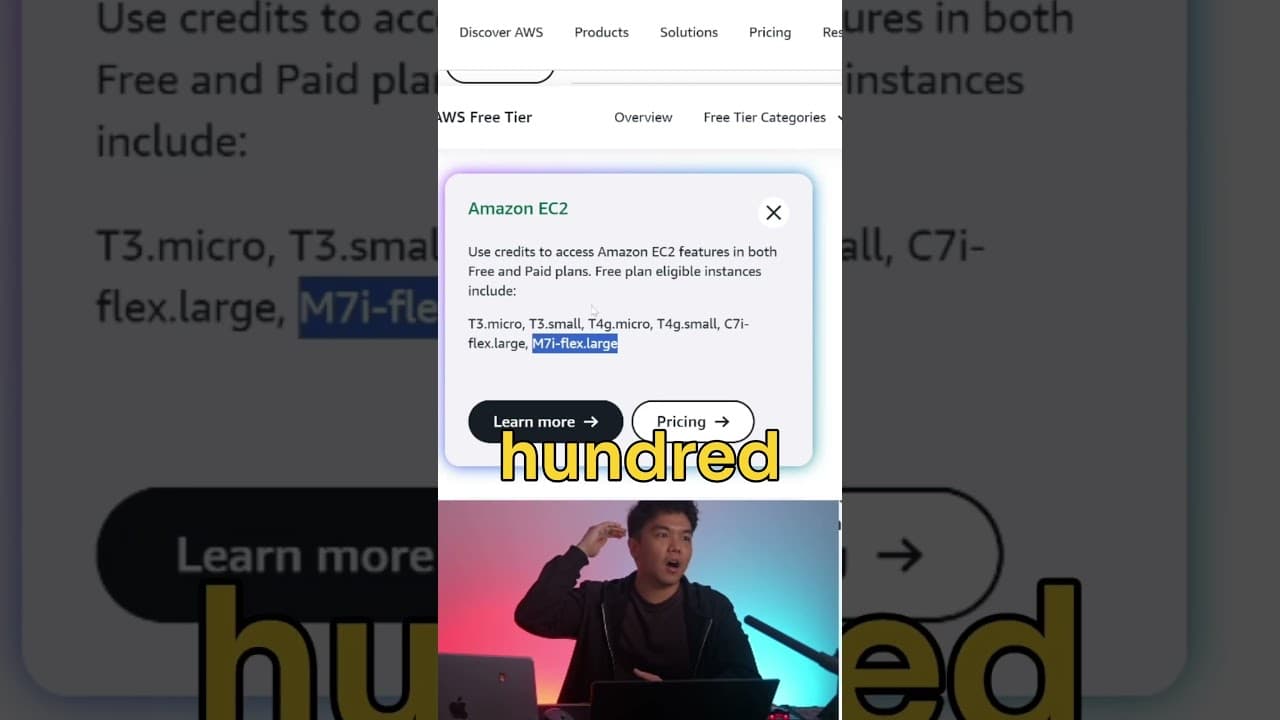
In this video, I'll be showing you the easiest way to migrate your OpenClaw agent to another server. If you're switching from one VPS to another VPS, this video is for you. Because personally when I started off playing around with Open Claw, I used the Amazon EC2 instance which was a very popular choice last month, you know, back when uh a lot of YouTube beginner videos were suggesting this one, especially with the M7i Flex Large because it has, you know, 8 GB of memory, which is really a lot. Uh, it turns out I learned that this can really, really wreck your bills, okay? Because even though this is a free plan, I heard horror stories that because you need your credit card information to sign up for this free plan, there are people out there that actually got charged out of nowhere after running out of free credits. Some of these costs go up to like $100 per month, which is really, really scary. And when I learned that yesterday, I'm like, "Okay, I need to get out of here. I'm switching to another server." So, I switched to Zeber. Choosing 10 cent as the provider. This is really good. 2 GB of memory is actually more than enough to be a personal assistant. If you're going for that 8 GB memory, that's actually an overkill. That's more so for, you know, like gaming servers where you need intense workload 24/7 for like hundreds or thousands of people to play the game. But 2 GB and 4 GB is more than enough. It's just $2 per month and you have full access to your server, which is great. Michael did a full video about this. Tag is up there if you want to check it out. So, I'll just show you the easiest way you can do to migrate to another server, and that is to just get your OpenClaw agent to do it for you. Okay. And the tricky part here is the prompt because what are you looking for if you're asking your agent to migrate? So here's what I said. I said, "Hey Jeff, that's the name of my OpenClaw agent. I want to migrate you to another server. What's the best way to do this? Can you compress your working directly, the OpenClaw directory?" So the entire file directory of your OpenClaw agent, can you compress that and then make a document on what you deployed and worked on so we can migrate? basically just make a big zip file. Okay, so Jeff took about 2 minutes created the migration package in a zip file containing my full working directory, my config and state files and the documentation for the migration guide in a markdown file. So once you have your zip file, you'll need the credentials of your new Zebra server which is your IP address, your username which is Obuntu and your SSH password. Now this is not a good practice to just paste your secret keys like that directly in chat. What you really the proper standard is to you know put it in av file and then paste it in the chat. But I was lazy. I just said here, here you go. Uh, and save the password in yourv file. Then upload the files over. So that process took about a minute for me. Jeff said it's done. It's already uploaded to the new server. So we got the zip file in the new file directory, which is really helpful if you have a term. Okay, so here's a pro tip here. If you're using terminal, it's better to use termius if you are a beginner because this is so much more userfriendly. You have access, you have full access and view of the entire file directory of your open claw agent right here. And what you want to see is the migration zip file right here. So just double click it, open it, and it'll open in your local files. And what you want to do is move the local files over to here. and you'll see your migration package. Then to make sure everything is in place, what you're going to want to do is in your terminal or in the terminal of your term right here is to just run these commands which is installing open claw just to make sure it's in fact installed because in some cases if you type openclaw it'll say command not found. So if that's the case, just reinstall it again and no worries, nothing is wiped out because you have the full file directory already migrated. You just need the software to launch it again. Then start gateway and check your config files. Okay, you can do that manually or you can just ask openclaw to do it for you. And there we go. Migration is complete. You'll be able to see the IP address of your new server. Now, another pro tip here is if you're a bit sus of the intelligence of your open claw, you know, because I think some models can be dumb, is you can manually check first before you migrate. What you're going to want to do, okay, so before you start the migration process, what you're going to want to do is copy and paste this command into your terminal or in your term. And what this does is it shows you the complete file directory in this tree format for you to see. It's going to look something like this after you've pasted it. Okay, it's really long because it contains everything your open claw has. And you can just take a screenshot of this. Just make sure that that's there. Okay, then do that migration process. Then paste this again. Then in your new server, in your new terminal, in your new termius, just copy and paste this one again. just to double check yourself manually. Nothing is missing. Okay, so that's really really the most straightforward and easiest way you can do this. Now, there's some limitations here because this is very very easy. This is super effective for uh openclaw agents that are pretty simple. So, you don't have any complicated cron jobs or you don't have any, you know, a lot of sub agents. This is super super helpful. This is very relevant to beginners, I'd say. But if you are, you know, an advanced or you're an expert user of open claw with a very sophisticated architecture, then you'd need to do it manually for some of the steps uh just to make sure nothing is missing in the migration process. So, I hope this video has been helpful to you. If you have any questions, drop them in the comments down below. Or if you have any suggestions or a better approach to the migrating process, let us know as well. Remember to smash up the like button, subscribe to the channel, join Discord if you want to be a part of our community where we're just going to be updating what we're doing with AI tools and all the cool stuff every single day. Link is in the description and in the pin comments down below. All right, boys. Take good care of yourselves. My name is Ron. Shaing now.
Transcript
In this video, I'll be showing you the easiest way to migrate your OpenClaw agent to another server. If you're switching from one VPS to another VPS, this video is for you. Because personally when I started off playing around with Open Claw, I used the Amazon EC2 instance which was a very popular choice last month, you know, back when uh a lot of YouTube beginner videos were suggesting this one, especially with the M7i Flex Large because it has, you know, 8 GB of memory, which is really a lot. Uh, it turns out I learned that this can really, really wreck your bills, okay? Because even though this is a free plan, I heard horror stories that because you need your credit card information to sign up for this free plan, there are people out there that actually got charged out of nowhere after running out of free credits. Some of these costs go up to like $100 per month, which is really, really scary. And when I learned that yesterday, I'm like, "Okay, I need to get out of here. I'm switching to another server." So, I switched to Zeber. Choosing 10 cent as the provider. This is really good. 2 GB of memory is actually more than enough to be a personal assistant. If you're going for that 8 GB memory, that's actually an overkill. That's more so for, you know, like gaming servers where you need intense workload 24/7 for like hundreds or thousands of people to play the game. But 2 GB and 4 GB is more than enough. It's just $2 per month and you have full access to your server, which is great. Michael did a full video about this. Tag is up there if you want to check it out. So, I'll just show you the easiest way you can do to migrate to another server, and that is to just get your OpenClaw agent to do it for you. Okay. And the tricky part here is the prompt because what are you looking for if you're asking your agent to migrate? So here's what I said. I said, "Hey Jeff, that's the name of my OpenClaw agent. I want to migrate you to another server. What's the best way to do this? Can you compress your working directly, the OpenClaw directory?" So the entire file directory of your OpenClaw agent, can you compress that and then make a document on what you deployed and worked on so we can migrate? basically just make a big zip file. Okay, so Jeff took about 2 minutes created the migration package in a zip file containing my full working directory, my config and state files and the documentation for the migration guide in a markdown file. So once you have your zip file, you'll need the credentials of your new Zebra server which is your IP address, your username which is Obuntu and your SSH password. Now this is not a good practice to just paste your secret keys like that directly in chat. What you really the proper standard is to you know put it in av file and then paste it in the chat. But I was lazy. I just said here, here you go. Uh, and save the password in yourv file. Then upload the files over. So that process took about a minute for me. Jeff said it's done. It's already uploaded to the new server. So we got the zip file in the new file directory, which is really helpful if you have a term. Okay, so here's a pro tip here. If you're using terminal, it's better to use termius if you are a beginner because this is so much more userfriendly. You have access, you have full access and view of the entire file directory of your open claw agent right here. And what you want to see is the migration zip file right here. So just double click it, open it, and it'll open in your local files. And what you want to do is move the local files over to here. and you'll see your migration package. Then to make sure everything is in place, what you're going to want to do is in your terminal or in the terminal of your term right here is to just run these commands which is installing open claw just to make sure it's in fact installed because in some cases if you type openclaw it'll say command not found. So if that's the case, just reinstall it again and no worries, nothing is wiped out because you have the full file directory already migrated. You just need the software to launch it again. Then start gateway and check your config files. Okay, you can do that manually or you can just ask openclaw to do it for you. And there we go. Migration is complete. You'll be able to see the IP address of your new server. Now, another pro tip here is if you're a bit sus of the intelligence of your open claw, you know, because I think some models can be dumb, is you can manually check first before you migrate. What you're going to want to do, okay, so before you start the migration process, what you're going to want to do is copy and paste this command into your terminal or in your term. And what this does is it shows you the complete file directory in this tree format for you to see. It's going to look something like this after you've pasted it. Okay, it's really long because it contains everything your open claw has. And you can just take a screenshot of this. Just make sure that that's there. Okay, then do that migration process. Then paste this again. Then in your new server, in your new terminal, in your new termius, just copy and paste this one again. just to double check yourself manually. Nothing is missing. Okay, so that's really really the most straightforward and easiest way you can do this. Now, there's some limitations here because this is very very easy. This is super effective for uh openclaw agents that are pretty simple. So, you don't have any complicated cron jobs or you don't have any, you know, a lot of sub agents. This is super super helpful. This is very relevant to beginners, I'd say. But if you are, you know, an advanced or you're an expert user of open claw with a very sophisticated architecture, then you'd need to do it manually for some of the steps uh just to make sure nothing is missing in the migration process. So, I hope this video has been helpful to you. If you have any questions, drop them in the comments down below. Or if you have any suggestions or a better approach to the migrating process, let us know as well. Remember to smash up the like button, subscribe to the channel, join Discord if you want to be a part of our community where we're just going to be updating what we're doing with AI tools and all the cool stuff every single day. Link is in the description and in the pin comments down below. All right, boys. Take good care of yourselves. My name is Ron. Shaing now.